Showing posts with label fix. Show all posts
Showing posts with label fix. Show all posts
Friday, November 18, 2016
Fix Your Etisalat Unlimited BBlite Bis Browsing On Android
Fix Your Etisalat Unlimited BBlite Bis Browsing On Android

This new settings dont require much setup and tweakingEtisalat Unlimited Browsing For 3 Hours With Just N15 Naira For July 2016 just replenish the below settings to carry on with your journey.
How To Make The Etisalat Bblite Bis Plan Daily To Work Again On Your Andriod


+Name : Bblited
+Apn : blackberryx.net
+Proxy :10.71.170.5
+ Port : 8080
+ choose ip4/ip6
==>Now open your Psiphon and change the Proxy server to : http://blackberryid.com
==>Now force close your psiphon handler and restart it again.
Also Read : Etisalat unlimited Bblite bis browsing 2016
If after all this settings, and it still refused to work using the Dlite to 399 subscription code,then use the MID version as it is also blazing, the slight difference of the Lite and Mid is the subscription price,The lite Plan is #70 as you all know but the mid plan is #100 but both offer unlimited browsing.
New Codes To Subscribe To Etisalat BB10 On Android Via MID.
SMS the codes below to 399
==>Dmid to 399(Daily plan)
==>Wmid to 399(Weekly plan)
==>Mmid to 399(Monthly Plan)
Available link for download

Friday, November 4, 2016
Fix Youtube app not working on Nexus 7
Fix Youtube app not working on Nexus 7
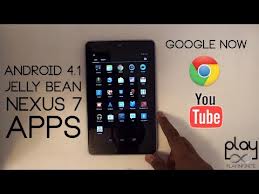
1. First, check to ensure you have installed Adobe Flash or not. You may need to install Firefox instead of using Chrome. After the installation of these two, you can see the mobile version of YouTube site works fine with Firefoxbeta.
2. Try to clear cache or any data of YouTube app in the settings, then soft reset Nexus 7.
3. If these two options does not work, you will need the help from other apps:
- First, tap on the Home key to return to your Nexus 7’s Home screen.
- Launch Google Play Store app.
- Next, search and install Titanium Backup from Google Play Store on your Nexus 7 tablet.
- Launch the app.
- Press the Backup/Restore tab at the top of the screen.
- Then find and select the YouTube app.
- Finally, hit the Wipe data key.
Available link for download
Tuesday, October 4, 2016
Fix Speaker Problem In Nokia Asha 311
Fix Speaker Problem In Nokia Asha 311
Diagram solution for nokia asha 311 speaker problem, if problem not solved by changing speaker then we can trace speaker points on motherboard with help of diagram. follow the diagram below and apply jumpers like diagram.

Available link for download
Saturday, August 27, 2016
Facing Any Issue With The App Store Try Force Refreshing The App Store To Fix It
Facing Any Issue With The App Store Try Force Refreshing The App Store To Fix It
You can get any of the apps easily with the App store in iPhone or iPad. Yeah sometimes you may face some unexpected errors with the app store.
Recently reported issue says that one of the app was showing a pending update but it was unable to update it as it showed Open option instead of Update option.

In this article we are gonna explain you a new trick to fix this kind of issues. Click here to continue reading..
Recently reported issue says that one of the app was showing a pending update but it was unable to update it as it showed Open option instead of Update option.
In this article we are gonna explain you a new trick to fix this kind of issues. Click here to continue reading..
Available link for download
Subscribe to:
Posts (Atom)