Showing posts with label modern. Show all posts
Showing posts with label modern. Show all posts
Wednesday, November 23, 2016
Ford Everest Akan Hadir Lebih Elegan Modern
Ford Everest Akan Hadir Lebih Elegan Modern

Ford Everest akan semakin tangguh (Sumber Foto: Istimewa)
Ford Everest Akan Hadir Lebih Elegan, Modern dan Tangguh
Ford Everest Concept yang dibuat oleh tim desain dan pengembangan produk regional Ford di Australia, merupakan bukti terbaru dari kemampuan desain dan rekayasa regional Ford. Para desainer Ford Australia telah merekayasa desain SUV konsep ini sehingga menjadikannya kendaraan utility yang elegan, modern dan tangguh.
Setelah meluncurkan all new Ford Ecosport, Ford regional Australia sudah mempersiapkan SUV konsep, yakni Ford Everest Concept, yang saat ini sedang dipamerkan di ajang Bangkok International Motor Show 2014. Para desainer Ford dari Australia tersebut telah menciptakan kendaraan berkelas dunia untuk pasar Asia Pasifik dan seluruh dunia.

Kesan tangguh dan elegan sudah terlihat dari pemasangan lampu depan yang terhubung ke grille trapesium terbalik yang menonjol dipasang tinggi di depan memungkinkan para desainer untuk memaksimalkan dimensi lampu depan. Para desainer Ford juga tak mengesampingkan fungsionalitas terhadap paduan antara grille dan lebar SUV. Hasilnya adalah tampilan yang kuat dan bertenaga terpancar dari bagian depan Everest konsep.

Dari grille kita berpindah ke desain lampu depan yang terbentang ke belakang, sehingga memberikan tampilan moderen dan aerodinamis. Dengan profil bodi ramping dan sisi samping yang disesuaikan, memberikan Ford Everest Konsep nuansa modern dan canggih.
Pada bagian belakang kendaraan pun mendapat sentuhan para perancang, dengan menempatkan lampu belakang yang menonjol di atas negative scallop, menjadikan bagian belakang yang kuat dan kontras dengan liftgate tradisional SUV yang berbentuk persegi dan datar. Dikombinasikan dengan ground clearance tinggi yang menunjukan desain off-road khas dari Ford Everest Konsep yang mencerminkan DNA fun-to-drive SUV Ford.

Untuk memperkuat dan mencerminkan ketangguhan fisik serta kemampuan yang mengesankan dari kendaraan, Ford Everest Concept di cat dengan warna merah mencolok dengan kilas warna oranye, yang dinamakan "Sunset Flare". Bahkan dengan warna ini, Everest Konsep memberikan kesan kuat dan memiliki kualitas sebagai kendaraan premium.

Menurut Matt Bradley, President Ford ASEAN mengatakan bahwa Everst Konsep mewakili visi kami atas kendaraan Ford global dengan warisan regional yang memungkinkan pelanggan kami untuk menaklukkan dunia. "Ini menunjukan bagaimana kami terus melaksanakan transformasi berbasis produk yang sedang berlangsung dan secara lebih lanjut memperluas showroom kami di seluruh wilayah ASEAN." tuturnya.
by : otosia
Available link for download

Saturday, October 15, 2016
FIXED Windows 10 Start Menu and Modern Apps Not Working
FIXED Windows 10 Start Menu and Modern Apps Not Working
Good Morning TUB Readers, I know its been a while i Posted Tutorials Connected to Computer/PC Related Issues. So heres One of them. I know some of you guys must have come across this one way or another and you must have gotten Solutions. Now this Tutorial is for the Readers that hasnt still gotten any solution to this Same Issue.
So, lets Kick Off. Recently, I installed Windows 10 OS on My HP Note Book Laptop. I was Enjoying it for a while and suddenly the Start Menu refuses to Open as well as Cortana, some of the apps on the task bar, battery notification not lunching and so on. Well, if you ask Me, Ill say its one of these few Bugs Windows 10 has.
So I searched the web,watched Videos on how to Fix this Problem and I Successfully got a Fix to this Bug. So If you are currently experiencing this same problem, youve come to the right place.
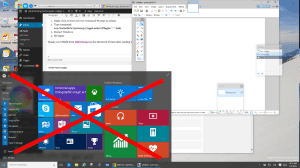 Now some of the logistics am going show you in this Tutorial is gonna be a sure way on how to fix this problem. All you have to do is to follow the Necessary Instructions, get it Done and get your PC fixed and Surfing on Windows 10 without anymore Bugs.
A third fix I have used successfully is: So, lets Kick Off. Recently, I installed Windows 10 OS on My HP Note Book Laptop. I was Enjoying it for a while and suddenly the Start Menu refuses to Open as well as Cortana, some of the apps on the task bar, battery notification not lunching and so on. Well, if you ask Me, Ill say its one of these few Bugs Windows 10 has.
So I searched the web,watched Videos on how to Fix this Problem and I Successfully got a Fix to this Bug. So If you are currently experiencing this same problem, youve come to the right place.
- First Method: Delete Corrupted AppLocker Files
- Right-click at Start and run Command Prompt as Admin
- Type command:
ren %windir%System32AppLockerPlugin*.* *.bak - Restart Windows
- Second Method: Start APPLICATION IDENTITY Service
- Right-click at Start and click RUN
- type SERVICES.MSC and press the enter key
- right click on APPLICATION IDENTITY and select START
- A reboot is not required...............ENJOY!!!
- Third Method: Use DISM Command
- Create a new user and log into it
- Right click on the START button and select COMMAND PROMPT (RUN AS ADMINSTRATOR)
- Type dism /online /cleanup-image /restorehealth
- Restart the PC
- Log back into the problematic profile hopefully you’ll find the store and apps work again
- Forth Method: Power-Shell Command To Re-register Packages
- Press Windows Key + R on your keyboard.
- Key in PowerShell and hit Enter.
- Right click on the PowerShell icon on the taskbar and select Run as Administrator.
- Now paste the following command in the Administrator: Windows PowerShell window and press Enter key:
Get-AppXPackage -AllUsers | Foreach {Add-AppxPackage -DisableDevelopmentMode -Register “$($_.InstallLocation)AppXManifest.xml”} - Wait for PowerShell to execute and complete the command. Ignore the few errors (in red color) that may pop up.
- When it finishes, try hitting Start and hopefully it’ll start working. This is My Best Bet!
- Fifth Method: Create New Profiles & Copy the TileDataLayer DataBase (two different steps)
- Login to windows (in your normal and broken Windows profile)
- Right-click the Start button, then Command Prompt (Admin)
- If that fails try Press WINDOWS key + X Key and select Command Prompt (Admin)
- Enter the following commands (one at a time and press ENTER after each one) in the Command Prompt window
.
net user TempAdmin1 “password1” /add
net user TempAdmin2?“password2” /add
net localgroup administrators “TempAdmin2” /add
. - Sign out (you can try CNTL+ALT+DEL and select SIGN OUT if you are stuck)
- Login to the TempAdmin1 account using password password1
- Logout (do not SWITCH USERS)
- Login to the TempAdmin2 account, using password2
- Click START and select File Explorer, click the VIEW tab (at the top of the screen), then check on Hidden Items
- Double click your way to C:UsersTempAdmin1AppDataLocalTileDataLayer
- Click CONTINUE when you see the security prompt
- Right-click the folder DATABASE and select COPY from the context menu
- Double click your way to (C:Users<YOUR USERNAME>AppDataLocalTileDataLayer)
- Right-click the DATABASE folder and Rename to DATABASE.DelMe
- Right-click on an blank area in that folder, and select PASTE
- Reboot your Windows 10 PC and then sign into the user that had the problem
- Sixth Method: Run a REFRESH Process
- Right click on the START button
- Hold the shift key while selecting RESTART
- Select TROUBLESHOOT from the recovery menu
- Select REFRESH YOUR PC
You can also see a Little Video on One of the Above Methods
Hope One of this Methods Solved your Windows 10 Start Button Issues. If so Comment/Share this Post to your Favorite Social Community by Clicking any of the Share Buttons Above. But if not, Post your Comments to lay your Complains.
ENJOY!!!!!!!!!!!!!!!!!!
Credits To: UrTech Blog & Windows 10 Guru on YouTube
Available link for download
Subscribe to:
Posts (Atom)